Invoicing for DJs

Drop the set.Not the invoice.

Club nights, weddings, corporate parties and residencies. StagePay keeps each booking’s fee, set times, travel and payment together, so you invoice before you’ve packed the decks away.

Free on iPhone, open beta on Android. Upgrade when you need more.

  • DJ set presets
  • Deposits & balances
  • Profit after travel & kit
THE BUSINESS BEHIND THE TALENT
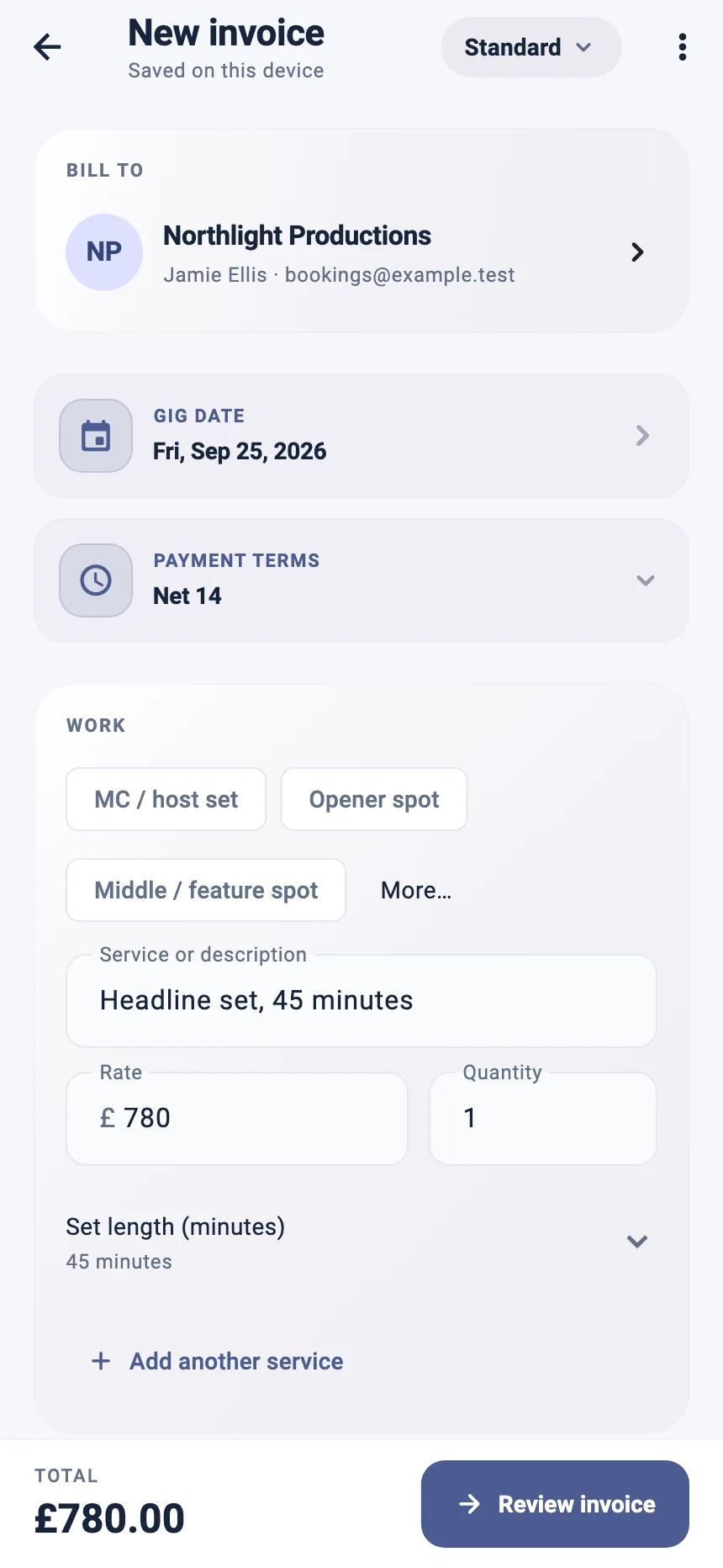
StagePay invoice builder showing a saved venue, linked booker, address and invoice total
More time for the work.Less time in the paperwork.
Inside StagePay · example data

THE WORK AROUND THE WORK

Every booking pays differently.

A club fee, a wedding deposit and a corporate purchase order shouldn’t all live in your DMs.

01

Club & residency DJs

Same club, every Friday. Same invoice?

Save the venue once, duplicate last month’s invoice and change the dates. The residency stays organised without a spreadsheet.

  • Saved venues & promoters
  • Duplicate invoices
  • Set length on the invoice
02

Wedding & private-party DJs

Deposit in March. Balance on the day.

Record the deposit against the booking and keep the outstanding balance in view, so the final payment never slips.

  • Deposit tracking
  • Outstanding balances
  • Professional PDF
03

Corporate & event DJs

Their accounts team needs a proper invoice.

Send a clean PDF with the fee, extras and travel on separate lines, and your reference in the notes, so it sails through approval.

  • Clear line items
  • Notes for references
  • Multi-currency

BUILT AROUND YOUR WORK

Built for how DJs get paid.

From a two-hour warm-up to a twelve-hour wedding day, the booking and its paperwork stay together.

DJ set presets

Choose the Musician role and start from a DJ set line, then add set length, extras and travel.

Saved venues & promoters

Reuse the club, address and booker for the next date.

Deposits & balances

Record what was paid to lock in the date and what is still owed.

Receipts, sorted

Keep expenses with the booking. Pro adds receipt scanning for the paperwork on the road.

Free to start

Unlimited invoices and PDF export on the Free plan, with your data stored on your device.

Explore all StagePay features

ROOM TO GROW

Start free. Scale with the diary.

Invoices, PDF export and gig profit tracking are free. Pro adds receipt scanning, forecasting and profit by venue; Pro+ adds cloud sync and sharing with your manager or accountant.

Find your plan

A FEW GOOD QUESTIONS

Know the details.
Then get going.

Practical answers about invoicing DJ work with StagePay.

Compare plans
Can DJs use StagePay?

Yes. Choose the Musician role and you get a DJ set preset, venue and promoter memory, deposit tracking and professional PDF invoices.

Can I invoice a weekly residency?

Yes. Create one invoice for the month with each date listed, then duplicate it next month and update the dates.

How do I invoice a wedding with a deposit?

Record the deposit against the booking when it is paid, then invoice the balance before or after the event. StagePay keeps the outstanding amount in view.

Can I see what a gig really paid after travel?

Yes. Add travel and expenses to the booking and StagePay shows your net profit per gig and per month for free.

YOUR NEXT ACT

Back to the booth.

Keep every booking, invoice and expense in one place. Start with StagePay for free.

Android open beta · anyone can join, just tap the badge