
Invoicing for voice actors

Your voice.Your terms.

Commercials, audiobooks, games, e-learning and corporate reads. StagePay puts the session fee, usage and studio costs on one clear invoice, and keeps each job’s payment in view.

Free on iPhone, open beta on Android. Upgrade when you need more.

  • Session & studio fees
  • Usage & buyout lines
  • Profit after costs
THE BUSINESS BEHIND THE TALENT
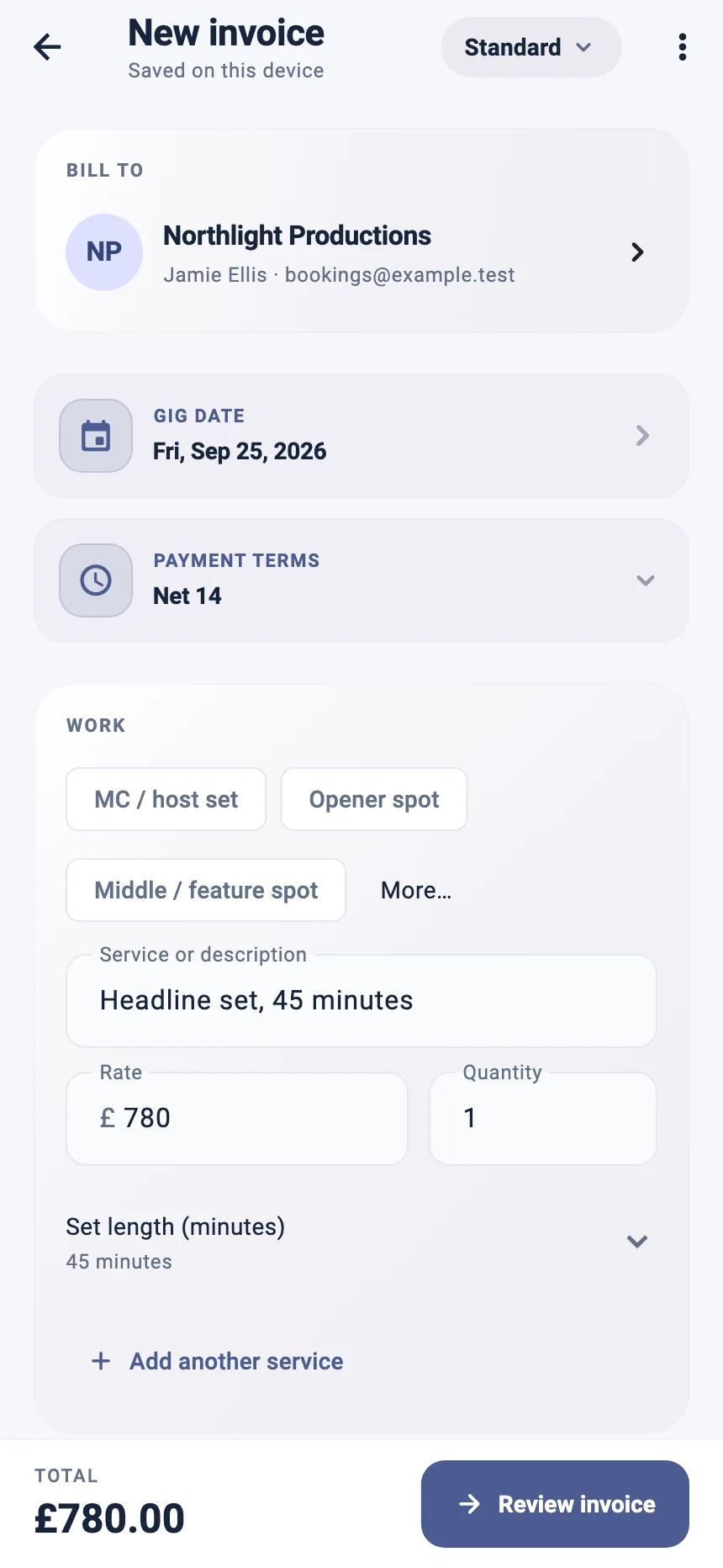
StagePay invoice builder showing a saved venue, linked booker, address and invoice total
More time for the work.Less time in the paperwork.
Inside StagePay · example data

THE WORK AROUND THE WORK

The fee is rarely just the session.

Usage, territory and studio time change what a job is worth. Your invoice should show all of it.

01

Commercial voice-over

Session fee plus a one-year usage buyout.

Put the session and the usage on separate lines, with the term and territory in the description, so nobody argues about what was licensed.

  • Session fee line
  • Usage / buyout line
  • Clear PDF
02

Home-studio voice actors

Recorded at home, invoiced like a studio.

Add a studio fee for your booth time and editing alongside the read, so the time you spend producing audio is paid for.

  • Studio fee line
  • Saved clients
  • Multi-currency
03

Represented voice actors

My agent takes a cut. What do I keep?

Log the agent’s cut as a cost against each job and see your profit after costs, so the gross figure never flatters you.

  • Commission logged per job
  • Net profit per job
  • Manager sharing on Pro+

BUILT AROUND YOUR WORK

Built for how voice work is booked.

From a thirty-second radio spot to a twelve-hour audiobook, keep the job and its paperwork together.

Voice recording presets

Choose the Voice actor role and start from a recording session line, then add studio time and usage.

Usage & buyout lines

Show broadcast, ad and content usage separately from the session fee.

Saved clients & studios

Reuse production companies, agencies and studios for the next job.

Gig profit tracking

Studio hire, equipment and travel to sessions come off the fee, so you see what each job really paid.

See the gig profit tracker

International clients

Invoice in the client’s currency when the work comes from abroad.

Free to start

Unlimited invoices and PDF export on the Free plan, with your data stored on your device.

Explore all StagePay features

ROOM TO GROW

Start free. Grow with your roster of clients.

Invoices, PDF export and profit tracking are free. Pro adds receipt scanning and tax exports; Pro+ adds cloud sync and read-only sharing with your agent or accountant.

Find your plan

A FEW GOOD QUESTIONS

Know the details.
Then get going.

Practical answers about invoicing voice-over work with StagePay.

Compare plans
Can voice actors use StagePay?

Yes. Choose the Voice actor role and invoices use studio and session language, with presets for recording sessions, studio fees and usage.

How do I invoice usage separately?

Add the session fee as one line and the usage or buyout as another, with the medium, term and territory in the description.

Can I invoice clients outside the UK?

Yes. You can invoice in the currency agreed with the client.

Does StagePay handle agent commission?

Log the commission as an expense against the job and StagePay shows your profit after costs. Pro+ lets you share invoices read-only with your agent.

YOUR NEXT ACT

Back to the booth.

Keep every job, invoice and expense in one place. Start with StagePay for free.

Android open beta · anyone can join, just tap the badge